Sift
Disk cleaner for macOS

See what's filling your Mac. Free it safely.

Sift tells you, for every item, whether it comes back — and lets you put anything back for 7 days.

Download for Mac

macOS 14 or later · Apple silicon and Intel
Free to try: your first 2 GB cleaned free

Macintosh HD 494.4 GB
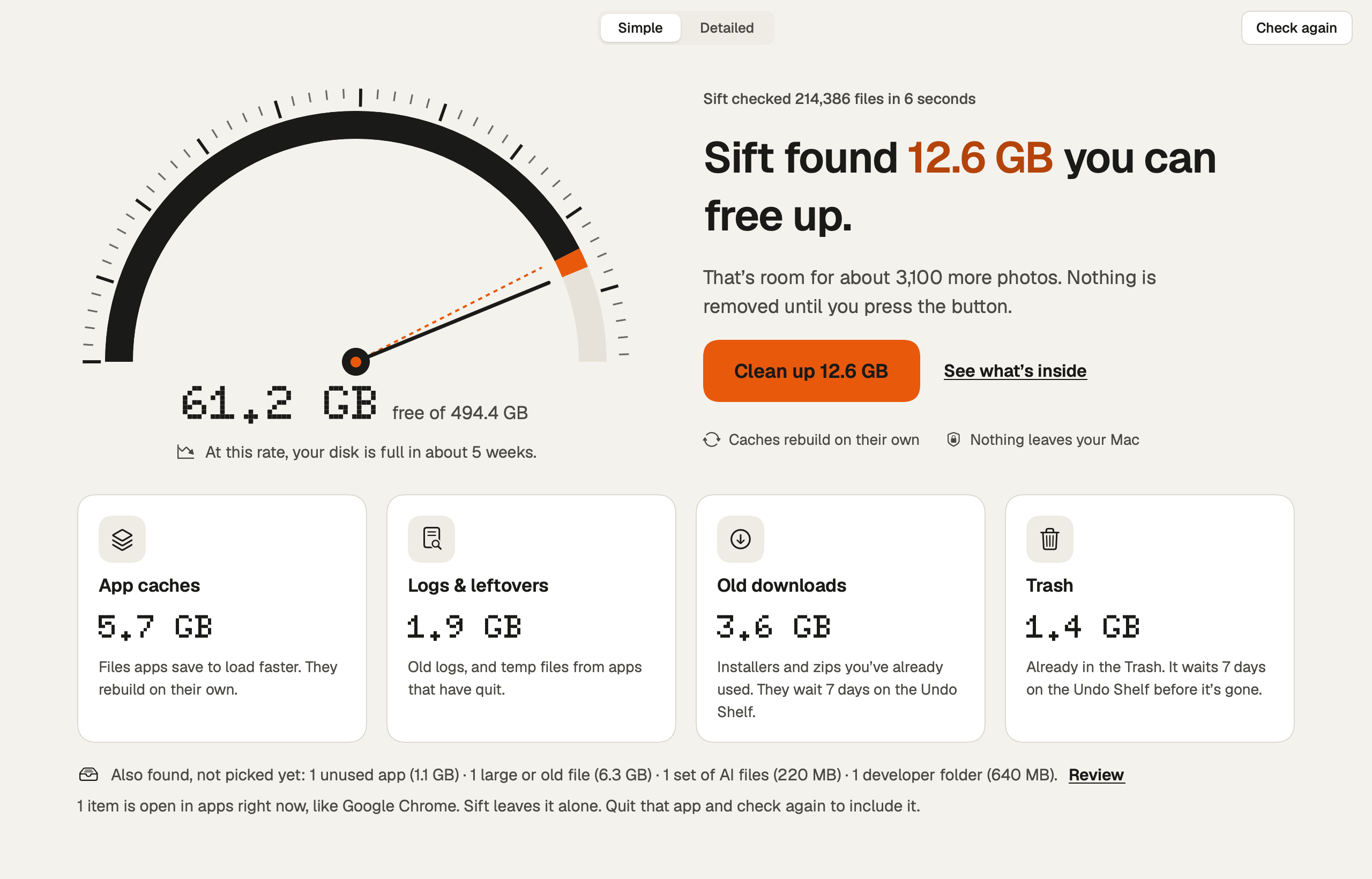
12.6GB Can be freed safely

Sift found 12.6 GB you can free up.

  • App cachesRebuild on their ownRebuilds5.7 GB
  • Logs & leftoversFrom apps that have quitSafe1.9 GB
  • Old downloadsWait 7 days on the Undo ShelfYou decide3.6 GB
  • TrashWaits 7 days on the Undo ShelfYou decide1.4 GB
  • Google appsOpen right now — left aloneIn use1.8 GB
  • App caches
  • AI files
  • node_modules
  • Xcode DerivedData
  • Old downloads
  • Duplicates
  • Python envs
  • Old simulators
  • Mail attachments
  • iPhone backups
  • Old macOS installers
  • Leftovers of removed apps
The sift

Everything goes through the sieve. Only what's safe falls through.

Every item is weighed against one question — does it come back? — before anything moves.

Two ways to look

Calm when you want it. Exact when you need it.

Simple: one dial, one button.

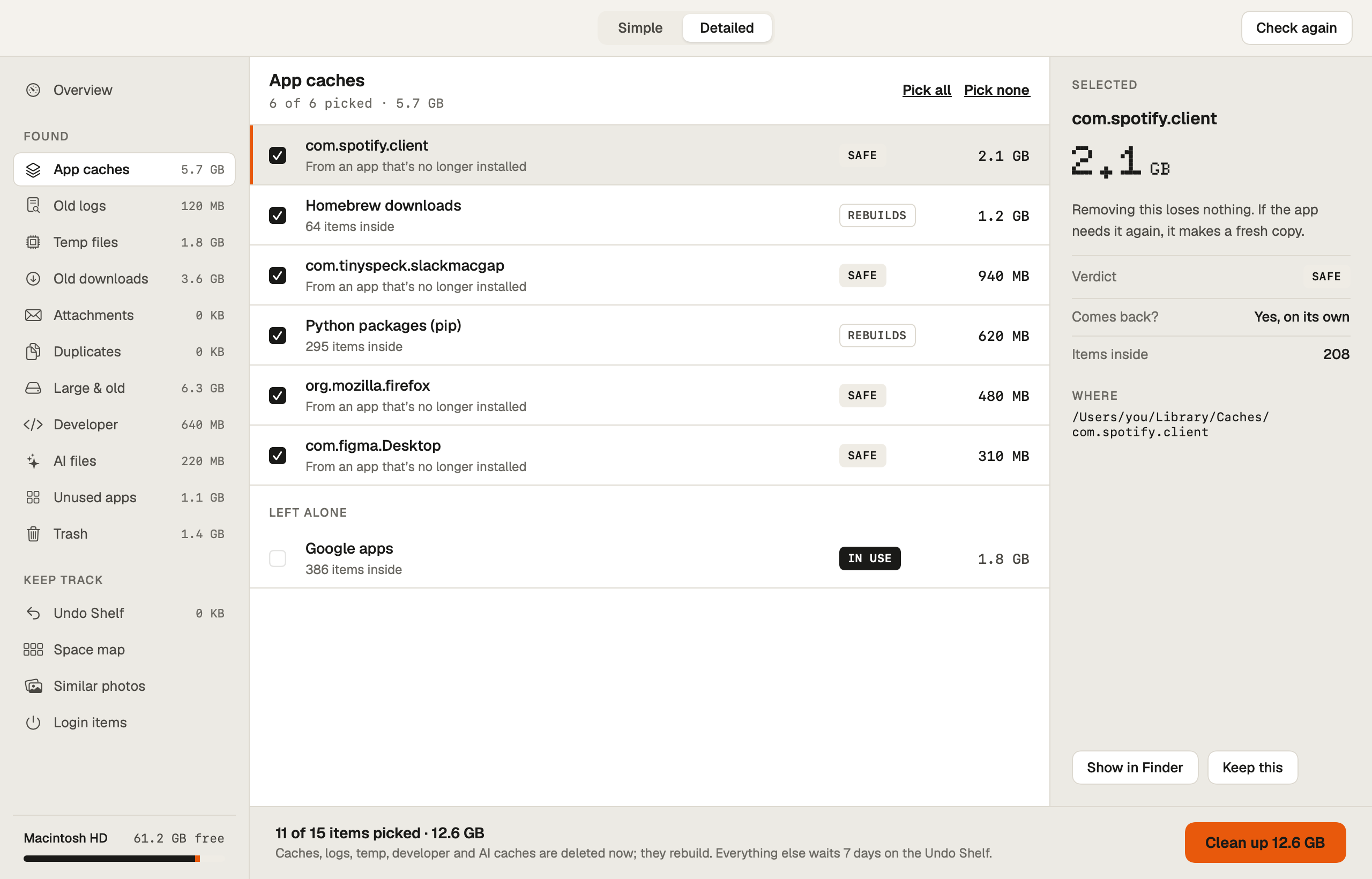
Detailed: every item, every reason.

Sift in Simple view: one disk dial showing 12.6 GB that can be freed, with a single Clean up button. Sift in Detailed view: every item found, each with its size, a verdict badge and the reason it is safe or not.
Why it's safe

Built to be trusted with your disk.

Sift explains before it removes, checks before it touches, and keeps a way back.

A verdict on everything

Every item gets a plain verdict and an answer to one question: comes back?

Safe Rebuilds You decide In use
ItemComes back?
com.spotify.clientYes, on its ownSafe
Python packages (pip)Rebuilt when neededRebuilds
Installer in DownloadsOnly if you download it againYou decide

Never touches what you're using

Anything an open app or running program is using is left alone — and checked again right before cleaning.

Google apps · open right now In use

Honest numbers

Sift counts only the space that removing an item really frees. APFS clones and hard links aren't counted twice.

project.mov4.0 GB
project copy.mov (APFS clone)shared
Really freed4.0 GB

The Undo Shelf

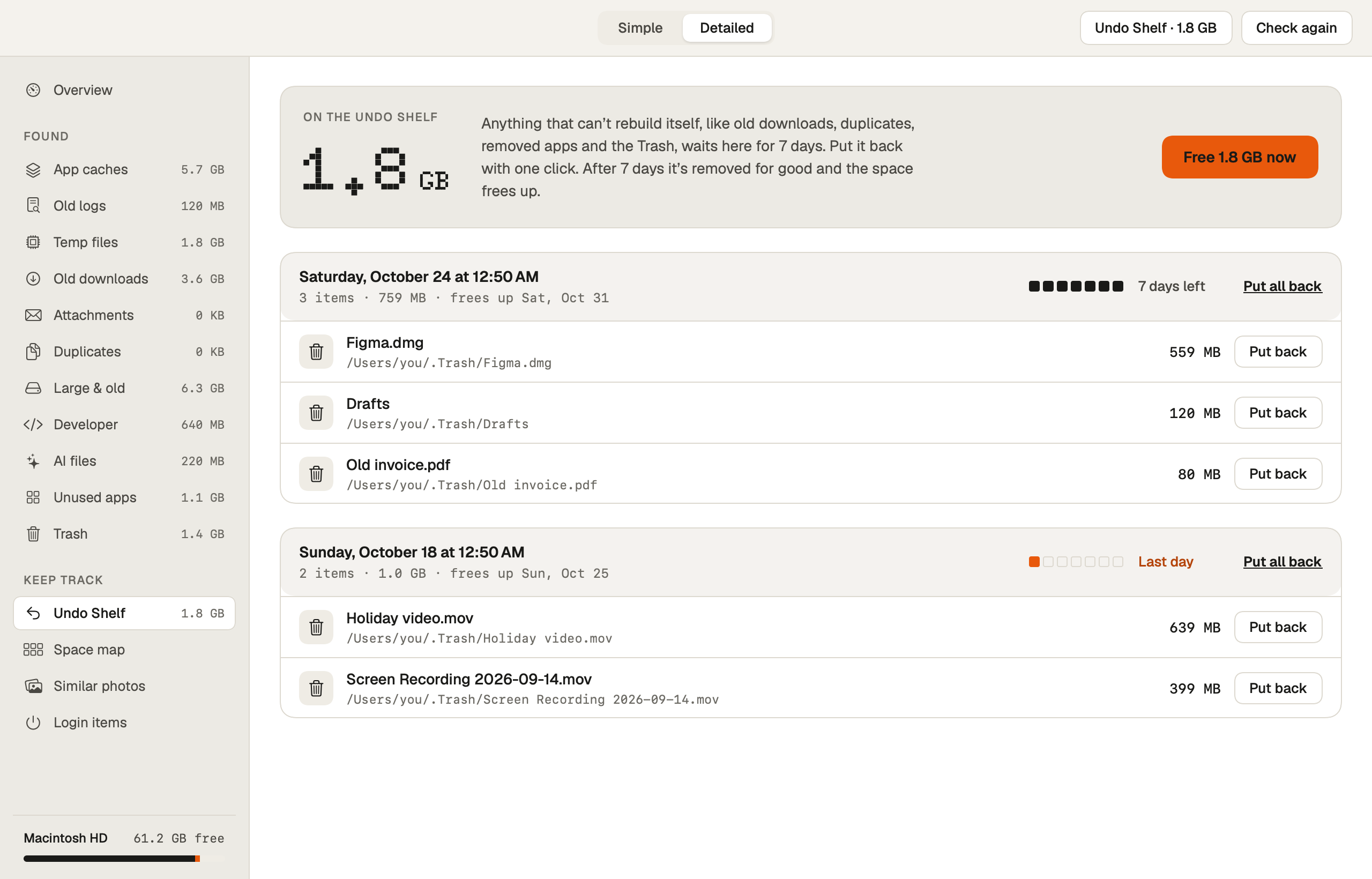
Downloads, apps, duplicates and the Trash wait on the shelf for 7 days. Put anything back exactly where it was.

Figma.dmg · back where it was 7 days
The Undo Shelf

Seven days to change your mind.

Downloads, apps, duplicates and the Trash wait 7 days. Put anything back exactly where it was.

7 days left
  • Figma.dmgOn the shelf · 559 MB
  • Holiday video.movOn the shelf · 639 MB

The Undo Shelf: removed items grouped by day, each with days left, its size and a Put back button.
The Receipt

Show your work. Sizes only.

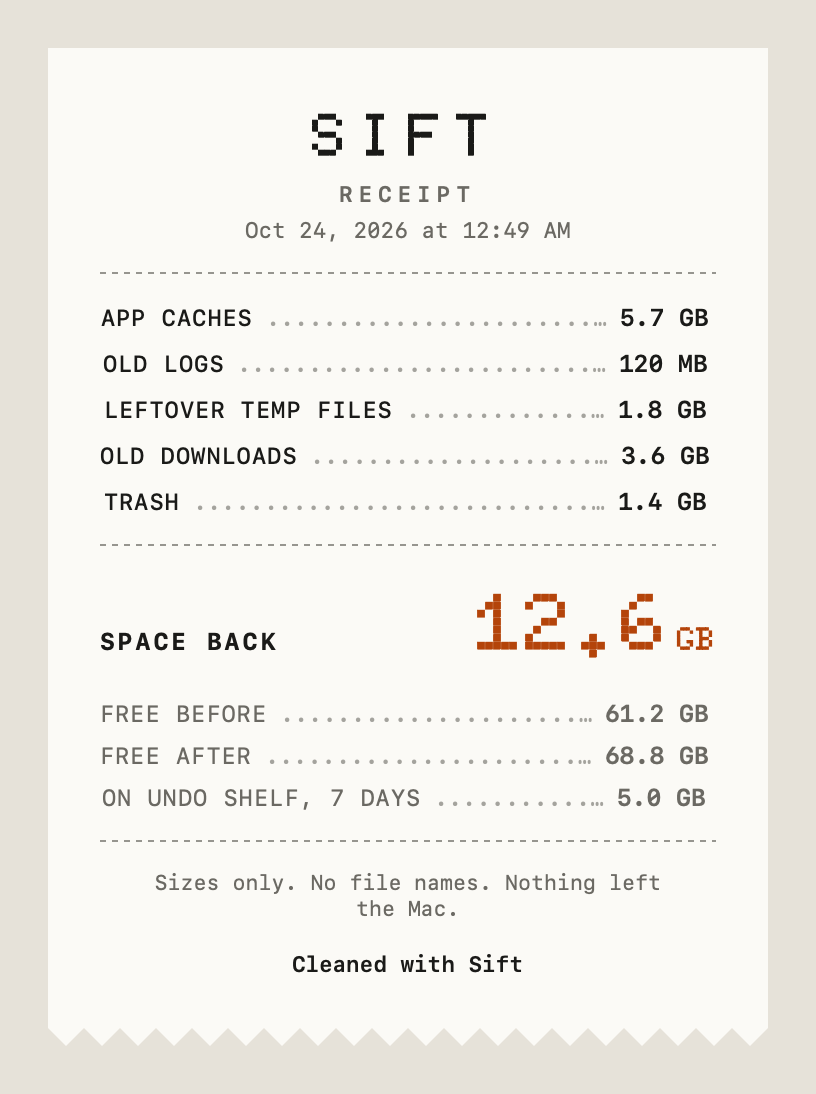
After a clean, Sift makes a shareable receipt of what came back — categories and sizes, never file names.

The Receipt: app caches 5.7 GB, old logs 120 MB, leftover temp files 1.8 GB, old downloads 3.6 GB, Trash 1.4 GB, for 12.6 GB of space back. Sizes only, no file names.
What it finds

Everything that quietly fills a Mac.

  • Caches

    App caches & logs

    Files apps rebuild on their own, cleared without breaking anything.

  • Apps

    Unused apps with their leftovers

    Apps you haven't opened in months, removed together with their support files.

  • Apps

    Leftovers of removed apps

    Settings and support files from apps you already deleted.

  • Files

    Old downloads

    Installers, archives and files you downloaded long ago and never opened again.

  • Files

    Duplicates

    Exact copies found and grouped — the best copy is always kept.

  • Files

    Large & old files

    The biggest, stalest files, with a zoomable space map to see where it all goes.

  • AI

    AI files

    Old Claude Code, Codex and Antigravity chats, their caches, and downloaded models.

  • Developer

    Developer files

    node_modules, Python envs and build folders in stale projects, Xcode DerivedData, old simulators. Docker is opt-in.

  • System

    System Data explained

    Purgeable space, old macOS installers and iPhone backups — named and sized.

  • Mail

    Mail & Messages attachments

    Large attachments saved on disk, found by size and date only.

  • Startup

    Login items in plain words

    What starts with your Mac, described simply, with one-click off.

  • Forecast

    Disk-full forecast

    See roughly when your disk will fill up at the current pace.

  • Menu bar

    Quick clean

    Free safe space from the menu bar without opening the app.

  • Receipt

    The Receipt

    A shareable summary of what was cleaned — sizes only, no file names.
Privacy

Nothing leaves your Mac. No account. No telemetry.

Pricing

Pay once. Keep it.

Sift license

$19 once

for 2 Macs · free updates · 14-day refund

Try free: scan and review everything, and clean your first 2 GB at no cost.

Buy Sift

Payments by Dodo Payments.

FAQ

Questions, answered plainly.

Is it safe?

Yes. Every item carries a verdict and says whether it comes back. Anything in use is skipped and checked again right before cleaning, and downloads, apps, duplicates and the Trash wait on the Undo Shelf for 7 days so you can put them back exactly where they were.

What does Full Disk Access do?

It lets Sift see the whole disk so its numbers are complete. Sift reads names, sizes and dates only — never the text of your emails or messages.

Does it delete things automatically?

No. Only if you turn on scheduled cleaning, and even then it removes caches only.

Is it a subscription?

No. Pay once.

What about my Photos library?

Never touched.

See what's filling your Mac.

Download for Mac

macOS 14 or later · Apple silicon and Intel